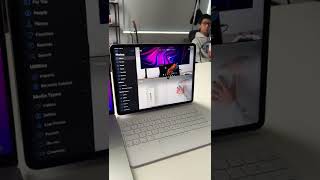
iPad Pro 12.9 (2020) + Magic Keyboard | NOW...It's a Laptop Replacement!
Channel: TeQreation
Category: Science & Technology
Tags: ipad pro accessoriesipad pro magic keyboard 12.9ipad pro 12.9 4th generation caseapple magic keyboardipadosmagic keyboard caseipad pro 12.9 4th generationmagic keyboardipad pro 2020ipad pro magic keyboard reviewipad pro productivityappleipad 12.9macbook miniipad pro vs macbook proteqreationipadipad proipad pro 12.9 4th generation reviewipad pro laptop replacementipad air 4ipad pro 12.9ipad pro accessories 2020magic keyboard case 12.9
Description: Use my code squarespace.com/teqreation to get 10% OFF your 1st website or domain! Apple iPad Pro 12.9 inch US: amzn.to/2HH09Zf INTL: geni.us/dJdD Apple Magic Keyboard 12.9 inch US: amzn.to/2HQ7G81 INTL: geni.us/nYAJk ● Subscribe teqrt.io/sub ● All of my Gear teqrt.io/kit ● Merch teqrt.io/merch ● Great Deals on Tech! amzn.to/23wwTrr In this video, we revisit the iPad Pro for the 4th time. Now this time with Apple's latest iPad accessory, the Magic Keyboard. By using the smart connector, and with the flexibility and improvements of iPadOS, in addition to the awesome trackpad on the Magic Keyboard, I can now say this accessory solidifies the iPad Pro as a true Laptop replacement. It's available for previous generation iPad including the Latest iPad Air 4, but I think the 12.9 Inch iPad Pro 2020, is the best fit. With support for 2 finger scrolling and 3 finger gestures, it's hard to believe you're not using a Laptop. The iPad Pro is more like a Macbook Mini! Follow ME! ● Website - TeQreation.com ● Twitter - Twitter.com/Teqreation ● Instagram - Instagram.com/Teqreation ● Facebook - Facebook.com/Teqreation Affiliate Disclosure: Some of the links used in the description will direct you to Amazon, as an Amazon Associate I earn commission from qualifying purchases at no additional cost to you. 0:00 Intro 0:30 Brief iPad History 1:40 The Magic Keyboard 3:36 The Trackpad 5:35 Accessories 6:15 Main Discussion 9:07 Build a Website 9:58 Conclusion